QUICK TAKE: Gemini's New Canvas and Audio Overview: Transforming How We Collaborate with AI
As someone closely following the evolution of AI productivity tools, I believe today's release of Gemini's Canvas and Audio Overview features represents a significant milestone in how we interact with AI assistants. Google has just rolled out these powerful new capabilities that aim to transform Gemini from a simple chatbot into a full-fledged collaborative workspace.
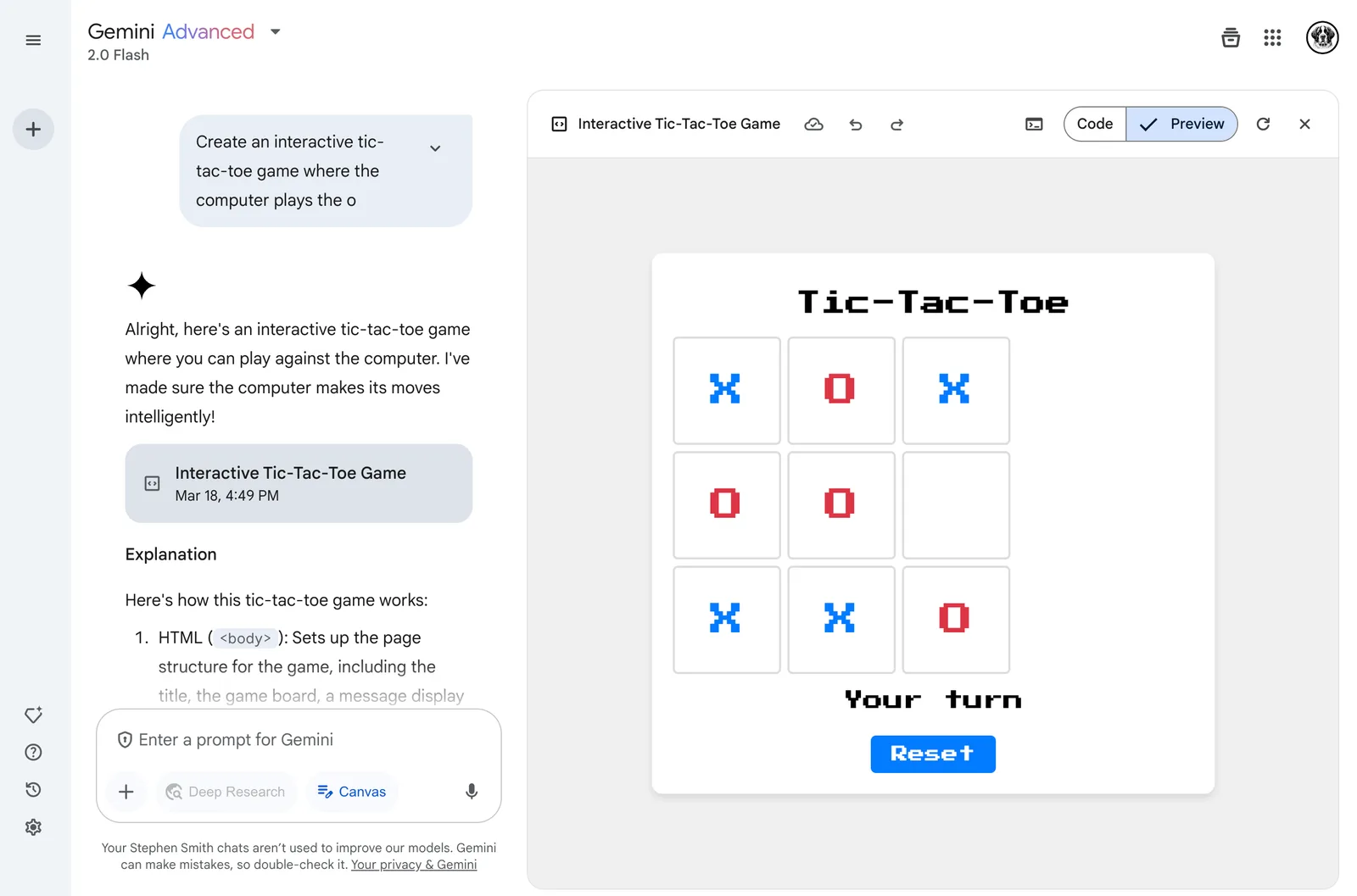
The Canvas feature, which I've been eagerly anticipating, creates a dedicated workspace within Gemini where you can now collaborate with the AI in real time on documents and code. Having tested it this morning, I'm impressed by how naturally it bridges the gap between ideation and execution. What struck me most was the flexibility to highlight text sections and ask Gemini to adjust the tone, make it more concise, or shift the formality level.
For business professionals like myself, this is a game-changer. I often need to draft communications that strike the right balance between professional and approachable, and Canvas provides a seamless environment to iterate quickly. The ability to export directly to Google Docs with a single click also eliminates the friction of moving between different tools.
However, where Canvas truly shines is in its code capabilities. The live preview functionality is invaluable for someone who occasionally needs to create web elements but lacks deep coding expertise. You can ask Gemini to generate HTML for a form, immediately see how it looks, request adjustments, and watch as the preview updates in real time. For teams that straddle the line between technical and non-technical work, this creates a common ground where ideas can be rapidly prototyped.
Alongside Canvas, the Audio Overview feature represents an innovative approach to content consumption. This capability, which migrates from Google's NotebookLM to Gemini, transforms documents, presentations, and research reports into podcast-style discussions between two AI hosts.
I've already used it to convert a lengthy market research report into an engaging audio discussion I could listen to during my commute. Rather than a monotone summary, Audio Overview creates a dynamic conversation highlighting key points, exploring connections between topics, and presenting multiple perspectives. It's like having expert analysts discuss your documents, extracting insights you might otherwise miss.
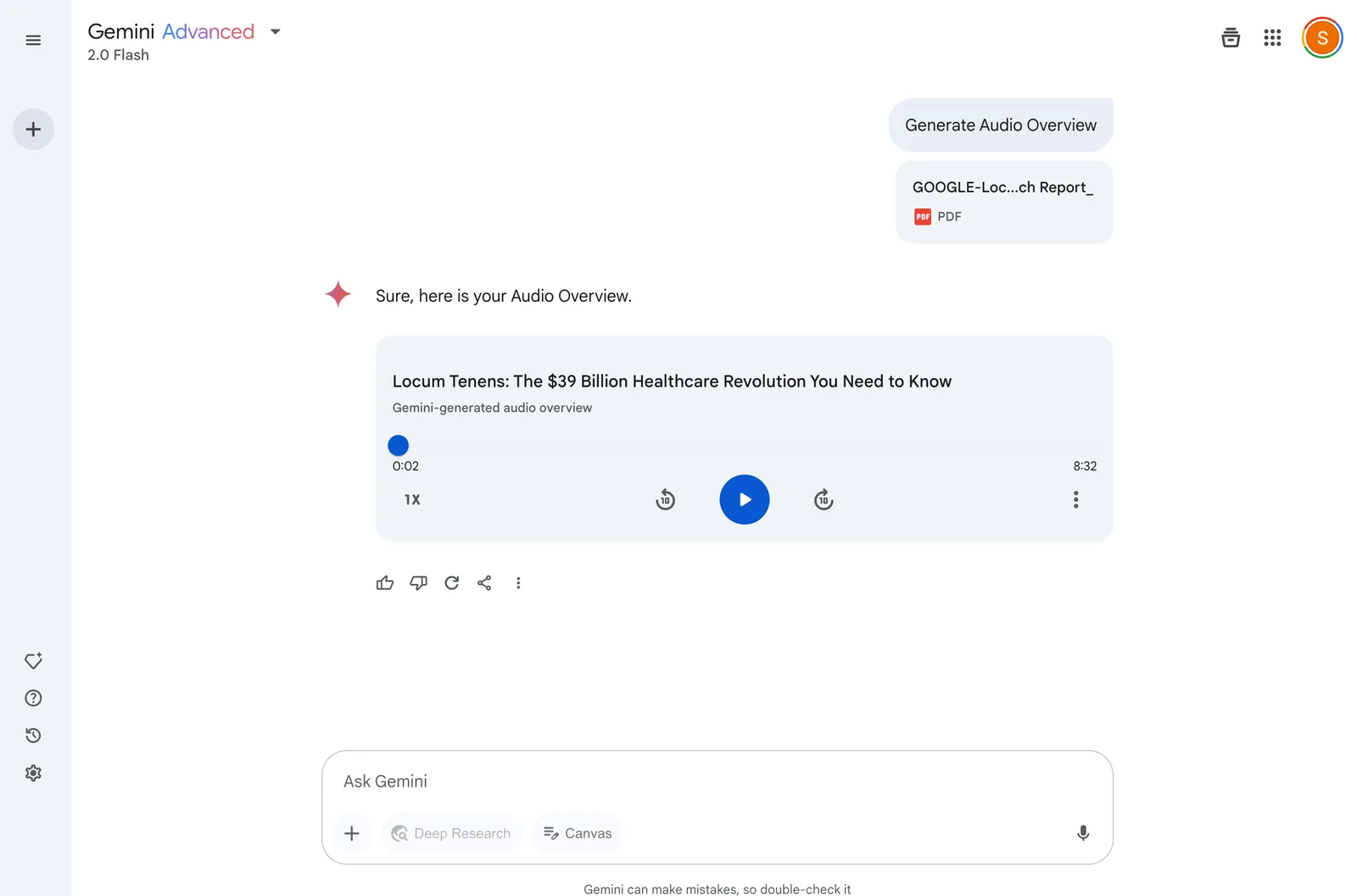
For busy professionals who struggle to digest large volumes of information, Audio Overview offers a practical solution that fits seamlessly into modern workflows. You can upload documents on the go and have them transformed into audio discussions that make productive use of otherwise dead time.
Both features are available starting today for Gemini and Gemini Advanced subscribers. Canvas supports all languages where Gemini is available, while Audio Overview is currently limited to English, with more languages promised soon. It was great to see the canvas feature and the most recent Flash 2.0 models also available to Google Workplace subscribers– although it appears that while Canvas is there, the new audio overview feature is not (yet!).
What makes these releases particularly significant is how they position Gemini as an AI assistant and a collaborative workspace that adapts to your needs. Whether you're drafting a crucial client proposal, prototyping a website form, or digesting complex research, these tools extend Gemini's utility beyond simple Q&A into a realm where AI truly augments human creativity and productivity.
For consumers and businesses looking to leverage AI more effectively, these features represent practical tools that deliver immediate value without requiring specialized expertise. They're worth exploring for anyone seeking to enhance their productivity through thoughtful AI collaboration.
Steve is a Senior Partner at NextAccess and has worked with hundreds of companies to understand and adopt AI in their organizations. He has worked extensively with services firms (law firms, PE firms, consulting firms).
Feel free to reach out via email: steve.smith@nextaccess.com
Want to talk about an AI workshop or personal training? Grab a 15-minute slot on my calendar: https://calendar.app.google/3ctoTDUgtg71TQDG7