QBR's and Sales Reviews will never be the same again

One of the great things about the new AI models is their ability to synthesize large amounts of text and extract summaries, next steps, and more. Google recently announced a new experimental AI tool called Google NotebookLM – an “AI-first notebook, grounded in your own documents, designed to help you gain insights faster.” You can find more here on their blog (https://blog.google/technology/ai/notebooklm-google-ai/).
Back in February of this year, I wrote an article called “How did your sales teams do last quarter?” It was an article about the importance of doing quarterly reviews on sellers’ performance and identifying areas for improvement. I wanted to revisit that topic a bit and show how new AI tools – like NotebookLM – can help organize your data and give you critical insights.
Imagine a scenario where you’ve just finished the quarter, and you are reviewing the progress of each rep. You have 100 SMB reps, and you have 40 enterprise reps – consolidating that info and extracting key insights is a significant effort. You ask your leaders to prepare insights for every sales rep in a structure that looks like the following:
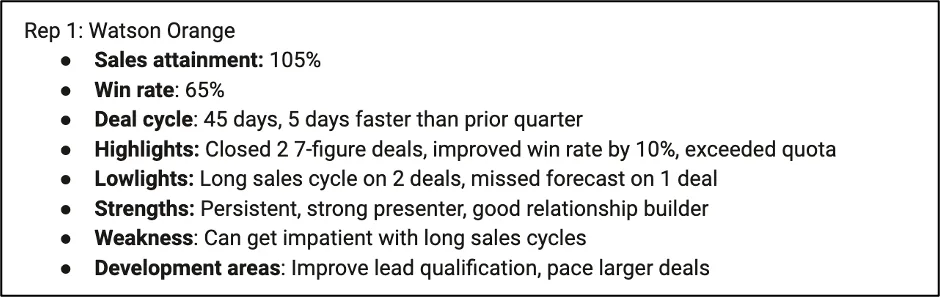
Basic performance statistics, quarterly highlights and lowlights, overall strengths and weaknesses, and finally, development areas. It’s a significant effort to review every rep and come up with a solid action plan at the end. For purposes of testing out NotebookLM, I created a complete set of demo information on 10 SMB reps and 10 enterprise reps. Let’s look and see what Google’s new NotebookLM tool looks like and how it can help!
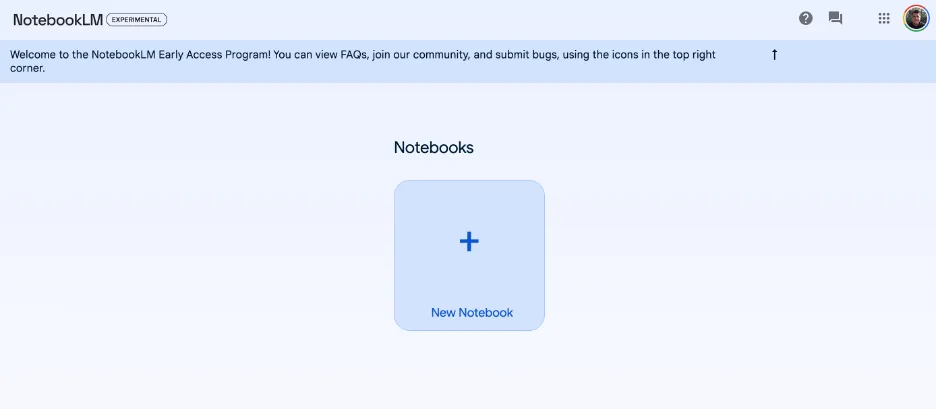
When you first enter NotebookLM, the interface is quite spartan:
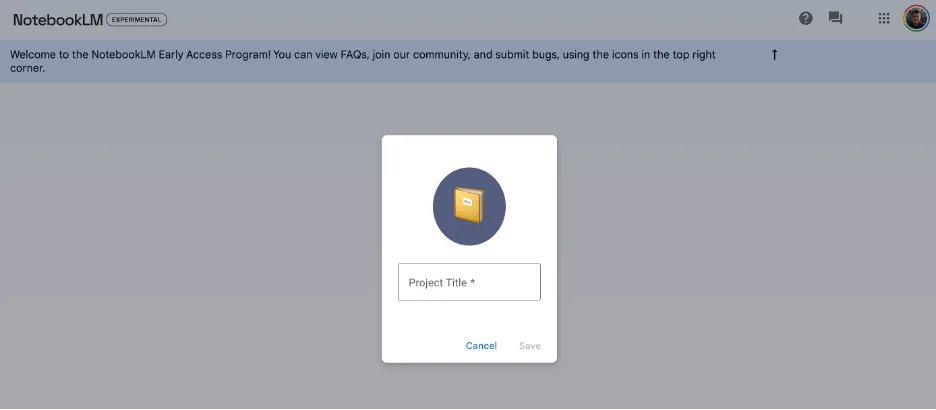
You click on “new notebook,” and you get asked for a project title:
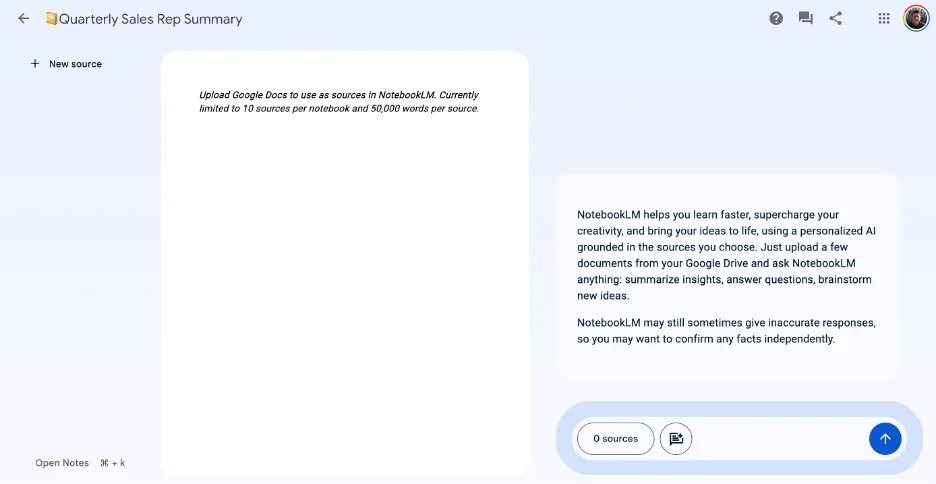
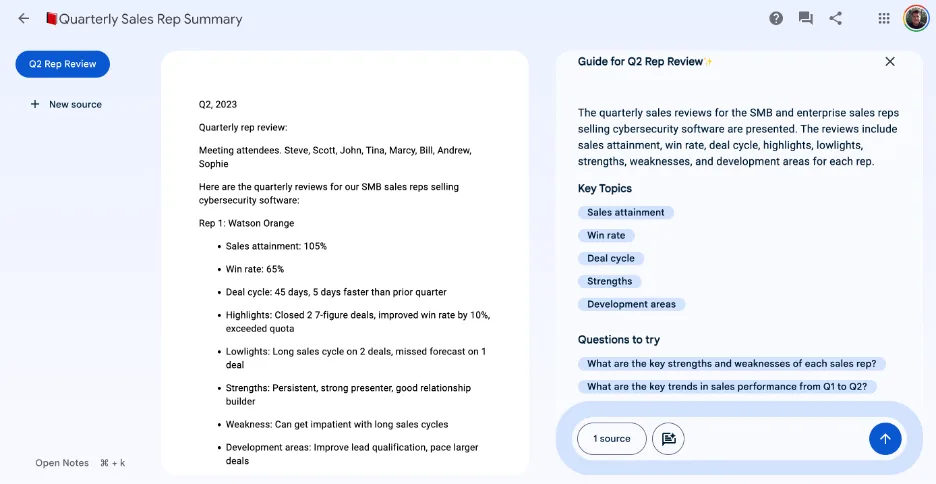
This is the main interface now before you upload any content. You can upload up to 10 sources per workbook, each being around 50,000 words per source. For purposes of this demo, we’re going to add the one with the 20 salespeople in it (it’s about 1,200 words total).
Once I select the file to upload, it analyzes it on the right and recommends key topic areas that it found in the document and some preliminary questions to answer.
I’m going to start with something simple – let’s ask for the total number of reps on each team and the most common “lowlight” from the quarter.
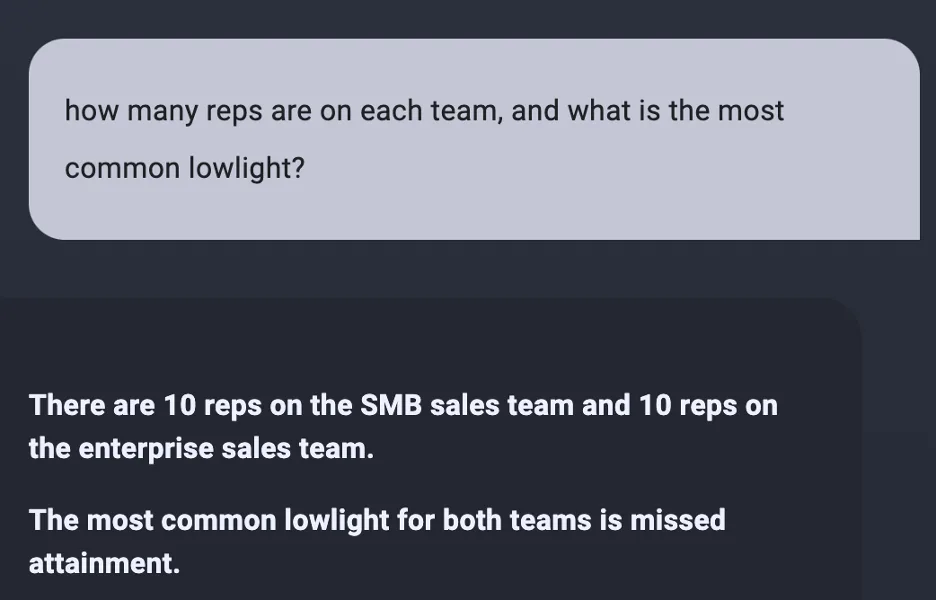
That’s exactly right. Now, let’s focus on some more of the exciting data. I care deeply about weaknesses and development areas – because those are things that I want to build action plans around. I asked for the top three weaknesses of the SMB team and the top three weaknesses of the enterprise team. Here are the results:
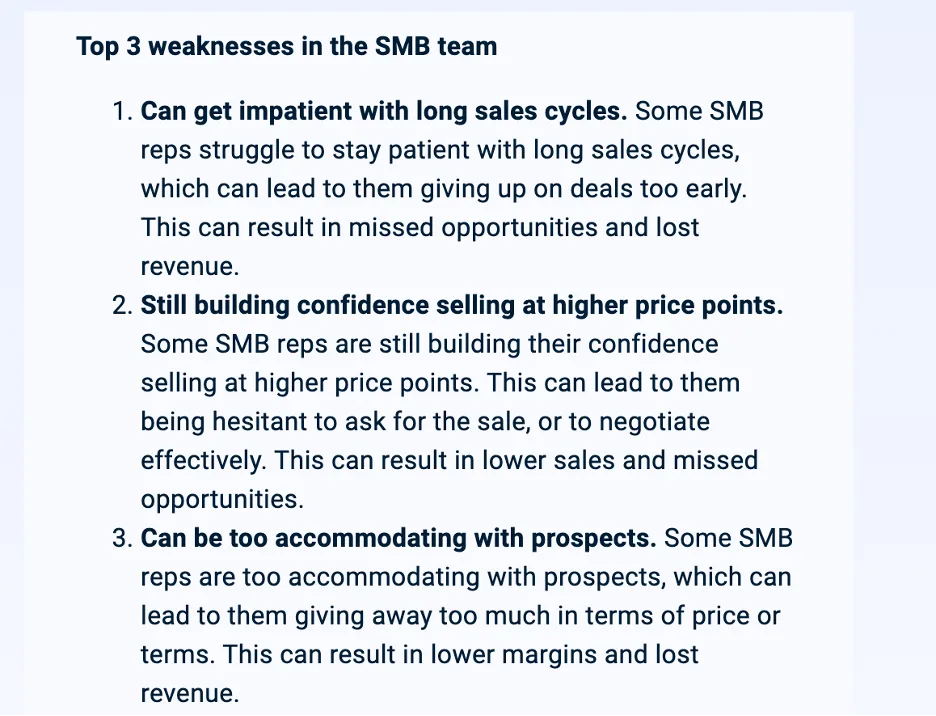
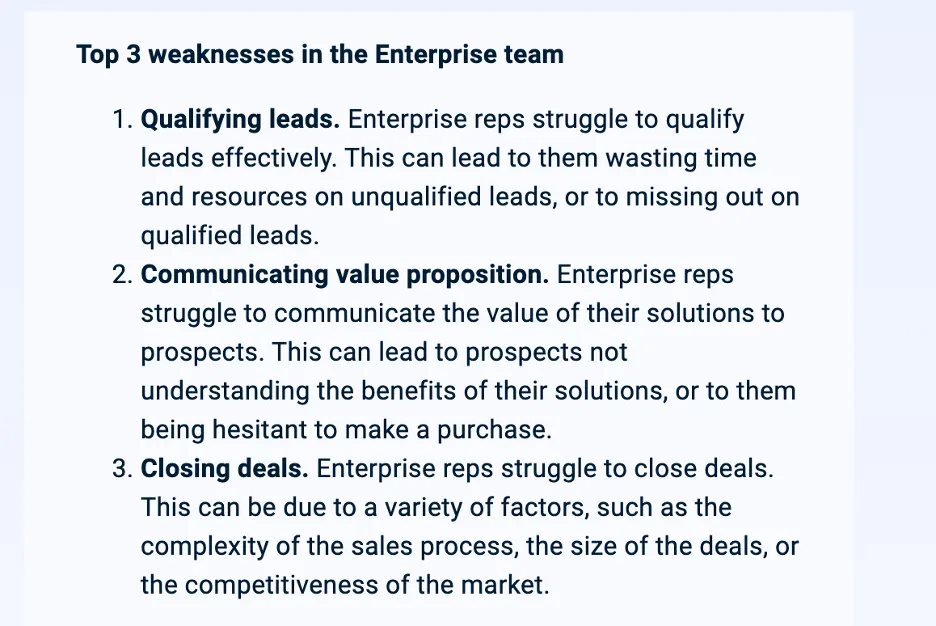
This is very useful data – and a small enough list that I could work with an enablement team and each of the sales leaders to create action plans around this.
The power of these AI models comes in bringing together the insights from your documents and combining them with the broader knowledge base it has. So, I decided to ask the following question:
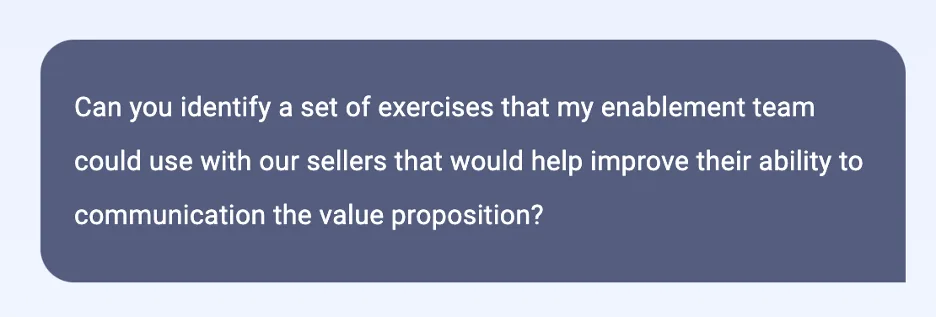
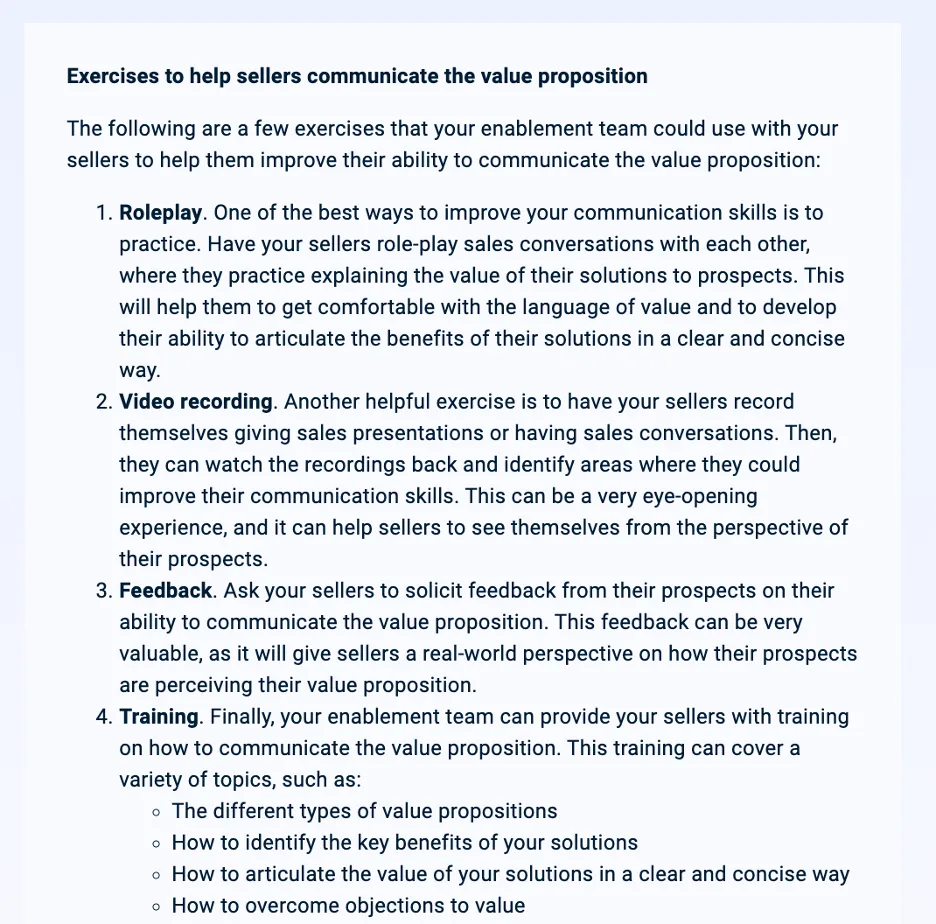
This is very much in line with what my enablement leader would have recommended. I decided to add one more question to the mix: what are the top 5 development areas for the entire sales team?
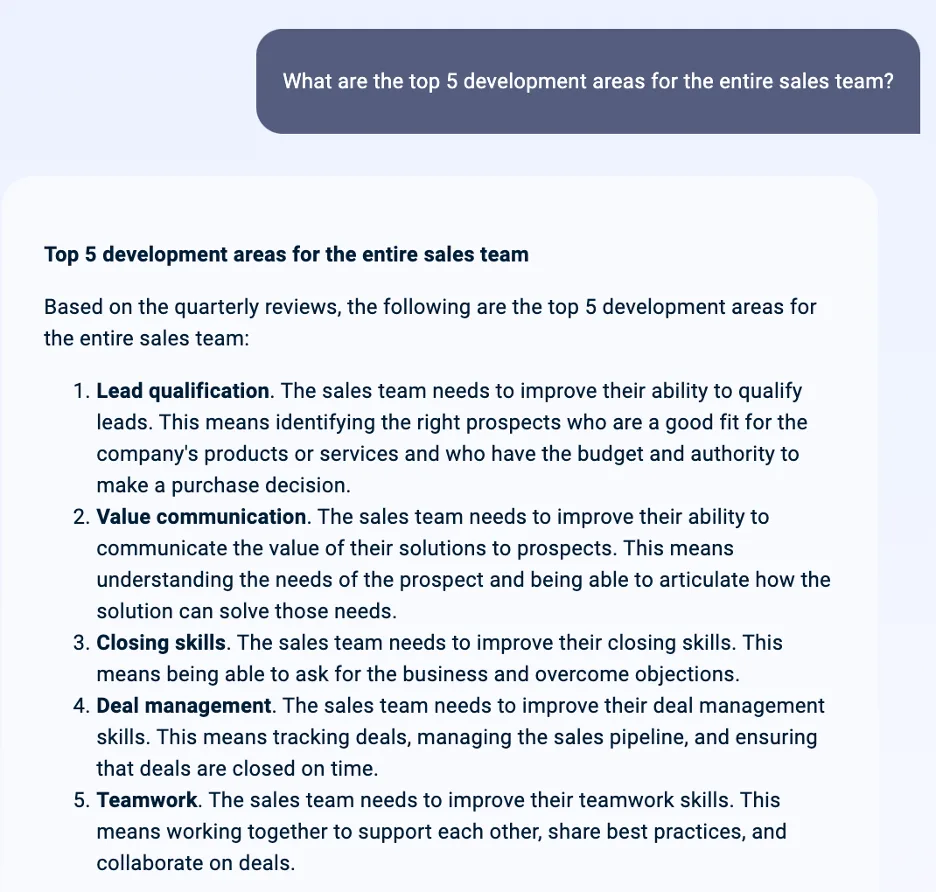
Again – this is an excellent example of using a chatbot to get insights out of your own data. This would have taken a significant amount of time to synthesize normally - and here it took seconds. The example questions it recommends are also quite good:
Which sales rep has the highest win rate?
Which sales rep has the longest sales cycle?
These are insightful questions – the kinds of things I would like my teams to think about. BUT!

One important thing to note – this tool (like many others) is EXPERIMENTAL. You may encounter errors and hallucinations, you may try and load files that are too big, and in some cases, you might even get answers that don’t make any sense. An excellent example of this is if you ask the AI to do calculations from information embedded in a large text document (e.g., calculate the average or median attainment across multiple teams) - it will confidently tell you the answer - and it’s likely wrong
I’m not going to publish the results of this query here – but I did ask NotebookLM to calculate the average and median attainment numbers for the different teams, and it did not calculate them correctly. Neither did Claude or ChatGPT’s Advanced Data Analysis. These are large LANGUAGE models – not large MATH models. ChatGPT’s ADA can do incredible analysis if you upload a spreadsheet, and Claude can also do incredible calculations in certain situations (as can Bard) – but if you are extracting numerical data from a long text-based document – I strongly urge you to be careful because you will likely get or very questionable answers.
Overall, I’m intrigued by the possibilities of NotebookLM for analyzing and assessing extensive collections of text-based documents. The ability to assess those documents and then combine them with information from Google’s broader knowledge base opens up a world of possibilities to increase effectiveness and efficiency. I’m excited to see where it goes from here.
Having a tool like this to use after a QBR or sales team review would be incredibly helpful for a sales ops or RevOps team. The ability to assess large amounts of data, generate insights, and then create action plans can help teams of all sizes.
As always – ending with a photo of Ollie. This one, though, is a little different – it’s from when he was only about 8 weeks old. Enjoy.

Best,
Steve